


Second Phone Number - 2Number
4.01.24K Reviews
App Specs
- Version
- 2.32.0
- Updated On
- License
- Free
- Downloads
- 1,000,000+
- Developer
- BP Mobile LLC
- Categories
- Communication
- Platform
- Android, iOS
Screenshots
 Analysis by AppCompare
Before deciding whether a second line is worth adding to your phone, I’d separate two questions: what it costs to try the app and whether a separate number would genuinely make your day easier. Second Phone Number - 2Number is a communication app from BP Mobile LLC, and its appeal is straightforward: it gives you a way to handle calls and texts through another number rather than sharing your main one in every situation.
What the free download does—and doesn’t settle
The app is free to download, which makes it easy to explore before deciding whether it belongs in your routine. There are also in-app purchases, with listed prices ranging from $1.99 to $59.99 per item. I would treat those as a reason to check the current purchase options inside the app before relying on a particular plan or feature: the range alone does not tell you which option suits your calling habits or how long it will cover them.
That distinction matters with a second-number service. Installing it costs nothing, but frequent calls, ongoing access, or extra numbers may make the paid choices relevant. I wouldn’t assume that a free download means unlimited use, and I’d make a small test call or message before using the number for something time-sensitive. The app is rated for Everyone, and it has a 4.2 average from around 16,000 ratings, with over a million installs. Those figures suggest many people have tried it, but they can’t tell you whether its pricing fits your own pattern of use.
Where a separate line earns its place
The real value is not simply having another number on screen; it’s being able to choose which number you share. I find that useful when a conversation starts with someone I don’t know well, when I’m arranging a local sale, or when I need a contact number for a short-term project. It can also make work boundaries easier: customers or collaborators can reach a separate line without being given the number I use with family and friends.
A practical way to use it is to decide on a purpose before choosing a number. For example, if I’m posting an item for sale, I can use the second line for messages about pickup, then stop giving that number out once the sale is finished. That does not make every interaction private or risk-free, but it limits how widely my everyday number circulates. If I use one extra number for unrelated situations, I lose some of that separation; assigning it a clear role makes it easier to recognize why someone is contacting me.
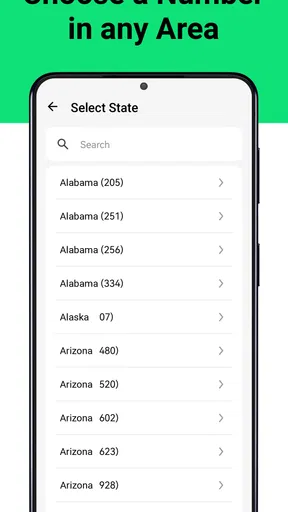
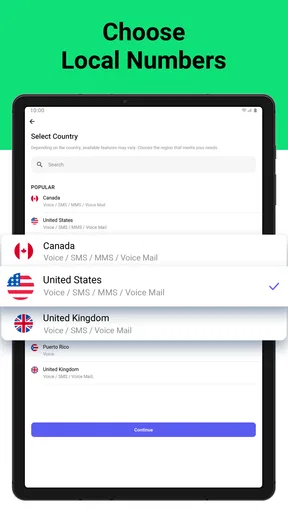
It can also be handy for people who travel between regions or work with contacts who expect a local-looking number. The app’s number-selection process lets you choose a country and area code, which may help match the number to a particular audience. I’d still check that the number format is appropriate for the people I need to reach rather than assuming a local area code will make every call or text work as expected.
How it fits beside ordinary calling options
Compared with carrying a second handset or arranging another SIM, an app-based line is a simpler way to keep a separate contact number in one place. That convenience is the strongest argument for trying it. It is also different from just using a messaging account tied to your usual number: the point here is to have another number for calls and texts, not merely another profile in a chat app.
Worth Reading Before You Choose

EA SPORTS FC Mobile 26 Is a Bigger Football Game, but It Takes Time

Flipboard Shows What News Apps Must Do Beyond the Feed

Switching to Android Auto Means Rethinking Your Driving Routine

Google Calendar Makes a Crowded Week Easier to Manage

Ludo King Makes the Most of the Minutes Between Plans

Baby Panda World Brings Quick Play to Modern Phones, but Its Game Library Feels Busy
The trade-off is that an app-based number depends on the service and the app rather than behaving exactly like a separate physical line. If you need a number that remains independent of a particular app, or you need the predictable setup of a dedicated SIM and device, the traditional route may suit you better. If you mainly want a convenient boundary for everyday calls and messages, keeping the extra line within an app may be the more practical choice.
One useful habit is to label the purpose of the number in your own contact notes and use it consistently. If you give it to clients, keep personal conversations off that line; if you use it for listings, avoid turning it into a permanent public contact. This simple separation can prevent the common problem of a second number becoming just another inbox to manage.
What to weigh before relying on it
A second number can reduce how often you share your primary one, but it is not a complete privacy shield. A caller can still learn information from what you say, and people may save or pass along the alternate number. I’d use it as a practical boundary, not as a substitute for caution when dealing with strangers or sharing sensitive details.
There is also a small organizational cost. You need to notice which line you are using, keep an eye on its messages, and remember to check its voicemail. If you already struggle to stay on top of one call history, adding another channel may create more noise rather than less. Blocking unwanted callers and adjusting notifications can help you keep the second line manageable, but those tools work best when you review them instead of treating the number as something you can forget about.
For occasional use, I’d first decide whether the number is needed for a defined period or ongoing contact. A temporary purpose makes it easier to judge whether any paid option is worthwhile; regular business use calls for a closer look at the purchase terms and how often you expect to call or text. The listed range gives a starting point, not a personalized estimate of what your usage will cost.
Ever found yourself in a situation where you wished you had a second phone number without the hassle of getting another SIM card or device? Well, that's where the 2Number app comes into play. Let me walk you through my experience with this nifty app and why it might just become your new favorite tool.
Unpacking the Basics
First off, downloading and setting up the 2Number app was a breeze. Available for both Android and iOS, the app offers a straightforward installation process. Within minutes, I was ready to explore its features. The interface is clean and intuitive, making navigation a piece of cake. You won't find yourself lost in a maze of options here. It’s all about simplicity and efficiency.
2Number is currently at version 2.27.0, and it was released on May 29, 2018. Those details don’t tell me how it will behave on every device, so I’d check that my operating system meets its minimum requirement of version 10 before installing. I also prefer to make sure the app is current before setting up a line I plan to use regularly.
How It Works
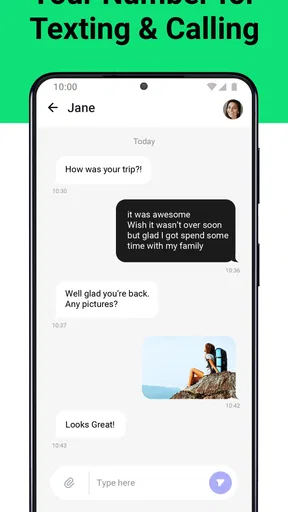
So, how does it actually work? The app provides you with a second number that can be used for calls, texts, and even voicemails. Think of it as a virtual phone line. The beauty of it is that you can maintain your privacy while communicating. Whether you're running a business, dating online, or just want to keep your personal number under wraps, this app has got you covered.
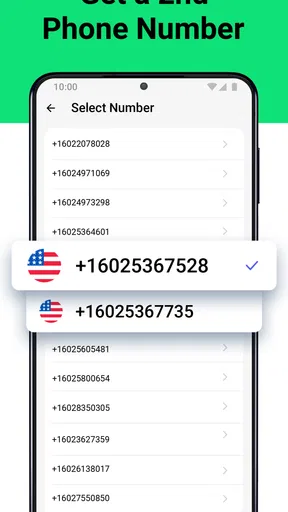
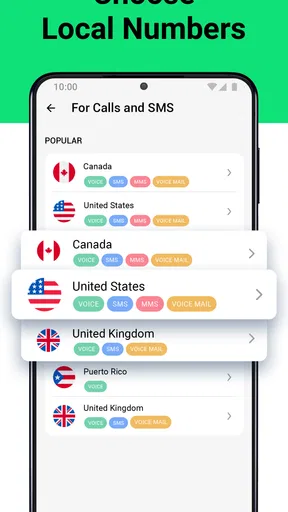
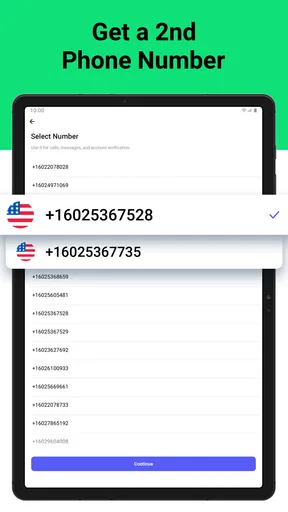
The process of getting your second number is as simple as picking a country and an area code. I appreciated the variety of options available, which means you can get a number that suits your specific needs. Need a local number in a different region for business? No problem!
For a realistic day-to-day example, imagine arranging a repair visit with someone you have never hired before. I’d share the alternate number for scheduling, keep the appointment details in that conversation, and use the app’s call history to reconnect if the arrival time changes. Afterwards, I could stop using that number for new contacts. It is a modest workflow, but it makes the separation purposeful instead of asking me to remember which strangers have my personal line.
Features Galore
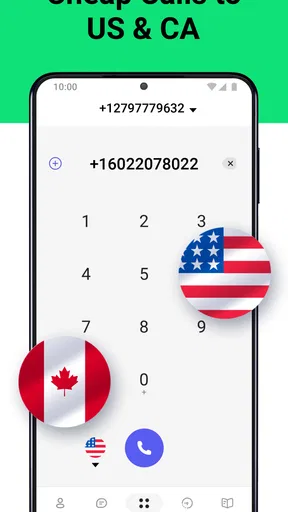
Now, let's talk about features. One of the standout aspects of the app is its flexibility. You can make calls and send texts just like you would with your primary number. The call quality is surprisingly good, and I didn’t experience any dropped calls or noticeable lag. It’s perfect for those important business calls or just catching up with friends without revealing your main number.
Another feature I found particularly useful is the voicemail function. You can customize your voicemail greeting, which is a nice touch. Plus, it’s all organized within the app, so you don’t have to sift through your phone’s voicemail to find messages from your second line.
That separation is most useful when the caller needs to leave context, not just a missed-call notification. For work, I’d make the greeting clear enough that someone knows they reached the right line, while avoiding personal details I would not want a stranger to hear. If I use the number for a one-off purpose, I’d check the voicemail after sharing it rather than assuming people will always text first.
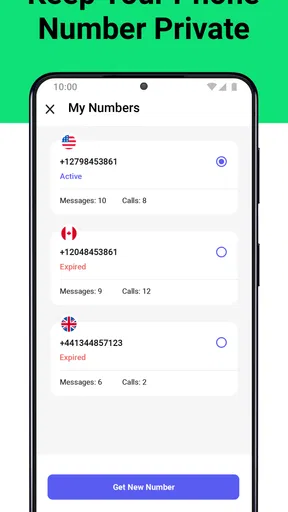
And here’s the kicker: you can even set up multiple numbers if you need them. This is great for entrepreneurs managing different projects or anyone juggling multiple roles that require separate lines.
Multiple numbers can create sharper boundaries, but they also create more maintenance. I’d only add another line when it has a distinct job—for instance, one for clients and another for a project that has a different audience. If both numbers would receive the same calls from the same people, the extra choice is unlikely to simplify anything. Before setting up more than one, I’d consider how often I can realistically check each inbox and whether the purchase options make sense for that use.
Security and Privacy
If you’re like me, security and privacy are top priorities when it comes to communication apps. I’m happy to report that the 2Number app takes these concerns seriously. Your data is encrypted, and the app is committed to protecting your information. This gives you peace of mind, knowing your conversations are secure.
Even with a privacy-focused reason for using another number, I would avoid treating it as anonymous. A second line changes which number you hand out; it does not remove the need to think carefully about messages, callers, or the details you share. For online dating or public listings, I’d keep early conversations on the alternate line and move to my main number only if I have a good reason to do so.
Customization and Control
Customization options are another highlight. You can easily manage your contacts and call logs. The app allows you to block unwanted callers, which is a feature I found incredibly useful. No more spam calls from unknown numbers!
Notifications are also customizable, so you can decide how and when you want to be alerted. Whether you prefer a subtle vibration or a loud ringtone, the choice is yours.
I’d use those controls to make the line feel different from my personal one: a quieter alert for a number I check during work hours, for example, or blocking a caller once a conversation has clearly ended. The benefit is less about adding elaborate organization and more about making the second line easy to monitor without letting it interrupt every part of the day.
Who I’d recommend it to
I’d consider this app if I needed a convenient line for client calls, local selling, temporary projects, or early conversations with people I do not know well. It is especially appealing if carrying another phone sounds excessive and I want calls, texts, and voicemail grouped around the extra number. The free download also lowers the barrier to exploring the setup, though I’d review the in-app purchase choices before making it part of a regular routine.
I’d skip it if I need a guaranteed long-term business line with requirements that depend on a carrier, or if I want to avoid managing another app and another message stream. A separate SIM or handset can be a better fit when physical separation matters more than convenience. Likewise, someone who only needs to hide a number once may not get enough ongoing value from maintaining a second line.
Final Thoughts
Overall, the 2Number app is a solid choice for anyone in need of a second phone number. It’s user-friendly, reliable, and packed with features that cater to both personal and professional use. The app offers a free trial, which is a great way to test it out before committing to a subscription.
If you find yourself needing a separate line without the hassle of additional hardware, give the 2Number app a shot. It’s a versatile tool that’s sure to simplify your communication needs. Whether for business or personal use, it seamlessly integrates into your daily routine, keeping your primary number private and your life organized.
My buy-or-skip take
My recommendation is to try it when you have a concrete reason to separate calls and texts, then judge the value by how often that boundary helps. The free download makes an initial look accessible, while the in-app purchases mean regular use deserves a closer cost check. I would not pay for extra capacity simply because it is available; I’d first see whether one clearly defined number solves the problem.
For someone who routinely shares a public contact number, speaks with clients, or wants to keep a personal number out of early conversations, that convenience may justify keeping a second line. For a person whose contacts already fit comfortably in one number, the added notifications and upkeep may outweigh the benefit. That is the deciding point for me: 2Number makes most sense when the separation is something I will actually use, not just an appealing idea.
Pros
- Easy to set up and use interface.
- Affordable subscription plans.
- Multiple numbers on one device.
- Clear call quality.
- Reliable customer support.
Cons
- Limited free trial options.
- Some features require premium.
- Occasional app notifications.
- Limited international numbers.
- In-app ads in free version.
FAQs for Second Phone Number - 2Number
How does the Second Phone Number - 2Number app work?
The Second Phone Number - 2Number app allows users to create a virtual phone number that can be used for calls and texts without needing an additional SIM card. This number operates through internet connectivity, providing a separate line that can be managed within the app, making it ideal for work or privacy purposes.
Is the Second Phone Number - 2Number app secure for personal use?
Yes, the app is designed with user privacy in mind. It utilizes encryption to ensure that your calls and messages are secure. The app does not share your personal information with third parties, allowing you to communicate safely without compromising your primary phone number.
Can I choose the area code for my second number in the 2Number app?
Yes, the 2Number app allows you to select from a range of available area codes, giving you flexibility in choosing a number that suits your needs. This feature is particularly useful for businesses or individuals looking to establish a presence in a specific geographic location.
Does the Second Phone Number - 2Number app support international calls and texts?
The app supports international communication, allowing you to make calls and send texts to various countries. However, international rates may apply, so it's important to review the app’s pricing details to understand any additional costs associated with this feature.
What are the subscription options for the Second Phone Number - 2Number app?
The app offers several subscription plans, ranging from weekly to yearly options, providing flexibility based on your usage needs. Each plan includes different features and pricing, so you can choose the one that best matches your communication requirements. Always check the app for the latest pricing and features before subscribing.


